Browser extension
Automate any page in your own browser and session. Build workflows visually with the element picker, reach data behind logins without storing credentials, and plug it all into the workflow engine.
Some automations live in the browser. A bank that only exists behind a login, an internal tool with no API, a form that has to be filled on the page it lives on. The Awee Automation extension runs workflows against real pages in your own browser, in your own session, in Firefox and Chromium-based browsers (Chrome, Vivaldi, Edge, Brave, and the rest). It clicks, fills forms, selects options, waits for content, and extracts data, and it pauses for you when a step needs a human.
It works on any page, public or private, and the private ones are where it earns its keep. The usual route to data behind a login is a headless browser farm with stored credentials, hand-maintained sessions, and bot protection to outsmart. Here the automation runs in a browser that is already signed in, so there is nothing to store, nothing to fake, and the access you already have is enough. A headless browser remains an option for runs that need no window.
It is part of the same ecosystem as everything else in these docs. You can build and run browser automations entirely by hand from the extension, and the workflow engine can drive the same automations as steps in a larger workflow.
Build automations on the page
The extension opens as an overlay on the page you are automating. Add steps, pick the elements they target by clicking them with the element picker, and run the workflow while you watch it work. No selectors to hand-write, no code.
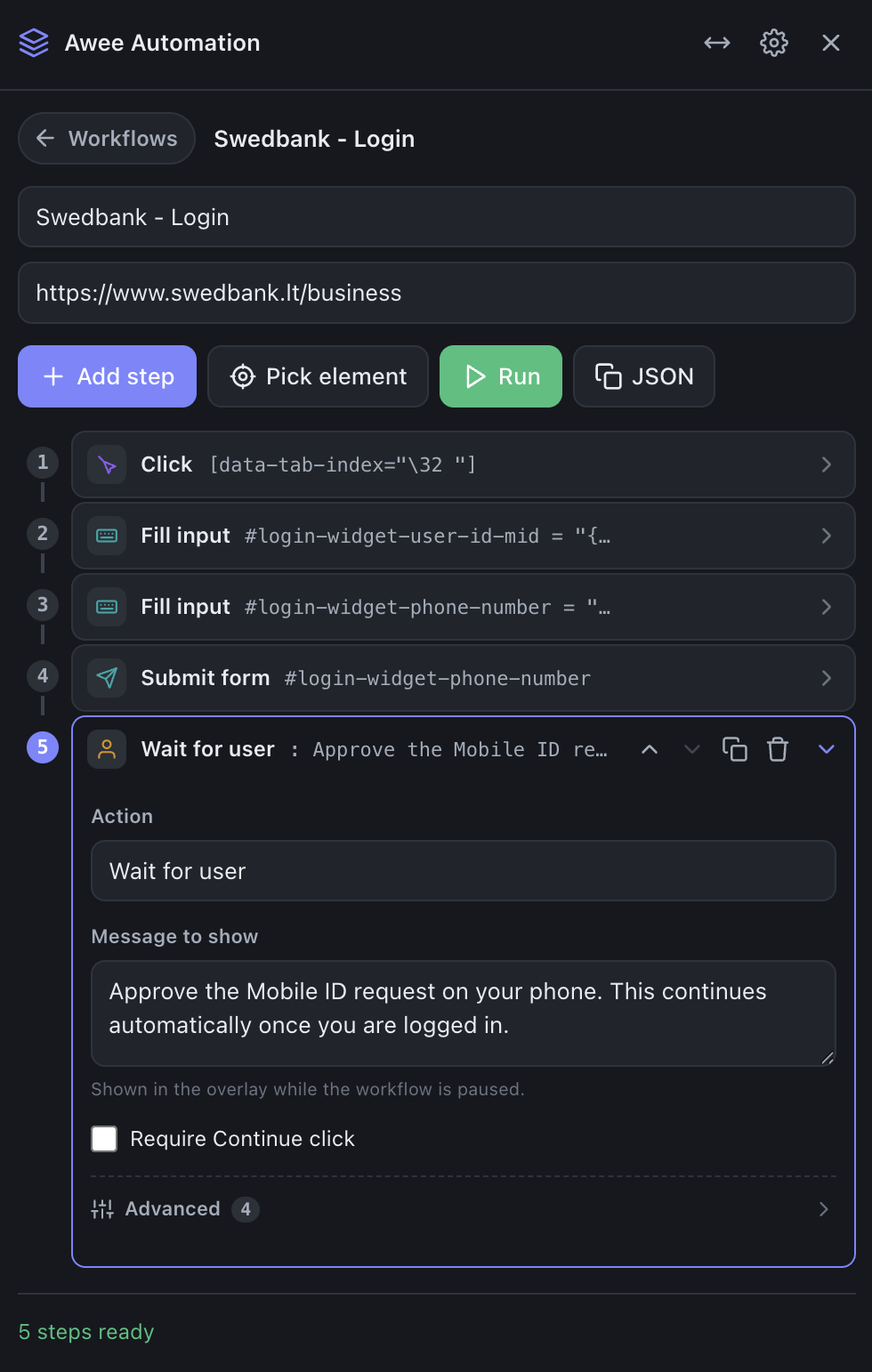
Steps cover everything a person does on a page, and a few things a person cannot.
| Kind | Actions | What they do |
|---|---|---|
| Act | Navigate, Click, Fill input, Submit form, Select option, Check / uncheck, Hover, Scroll, Press key | Drive the page the way a person would, moving to a URL and working its controls with mouse and keyboard. |
| Read | Extract, Read clipboard, Write clipboard | Pull a field, a table, a section, or the whole page, and move values through the clipboard. |
| Wait | Wait for, Wait for user | Hold until an element, text, or URL appears (or a fixed delay passes), or pause for a person to approve a login or clear a captcha. |
| Reach deeper | Call page function, Capture download | Invoke the site's own scripts directly, and capture a generated file instead of letting the browser save it. |
Extract is the workhorse for turning pages into data. It reads full or partial page contents, single values, attributes, and whole tables, and returns them as readable text, Markdown, HTML, JSON, or CSV, ready for the next step to use.
Values use the same {{ }} templating language as the rest of Awee. A date field filled with {{ date_from }} reads its value from the variables tab, or from whatever launched the workflow, so one automation runs for any account, any date range, any input.
A library of small workflows
Workflows live in a library inside the extension, each one a click away. The pattern that works well is several small workflows instead of one long one. A login flow stays separate from the navigation, the navigation stays separate from the form, and each piece can be re-run on its own when something changes.
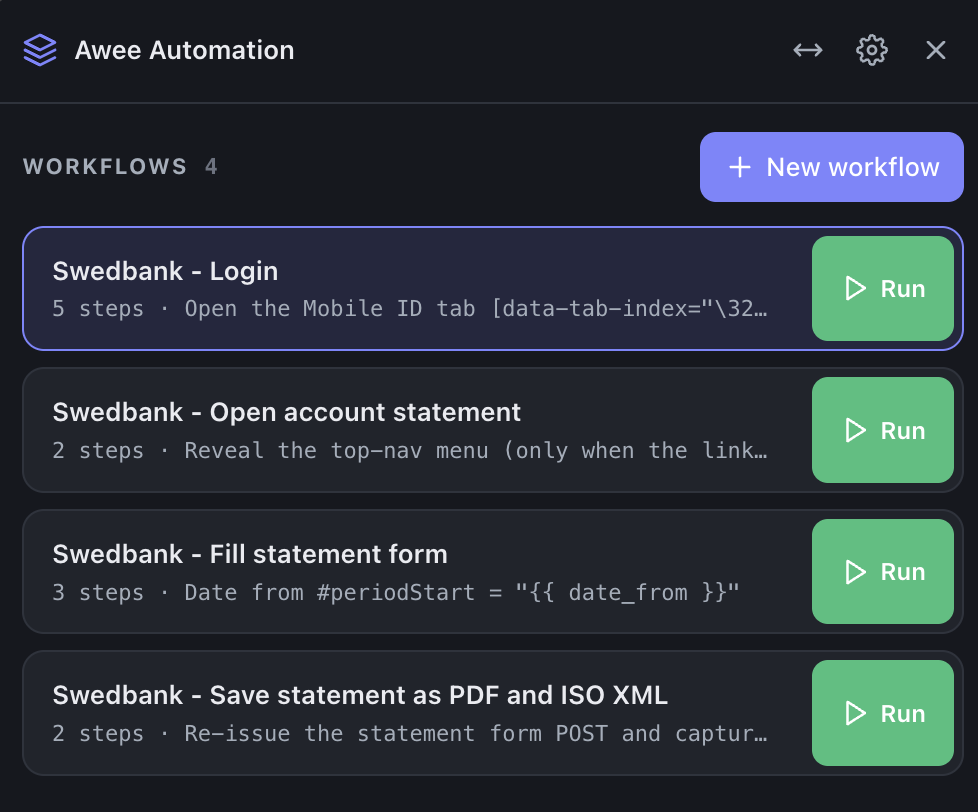
Workflows import and export as plain files, so they can be shared, versioned, and moved between machines. A workflow can also carry a condition, so a login flow skips itself when the session is still valid and only runs when it is actually needed.
People stay in the loop
Real sites have steps no automation should fake. Approving a Mobile ID request, entering a one-time code, solving a captcha. The Wait for user step pauses the run, shows a message on the page, and continues when you have done your part, either automatically when the page moves on or after you press Continue.
This is the same philosophy as the rest of Awee. The automation does the repetitive work, and the person stays in charge of the moments that matter.
Plugged into the workflow engine
The extension connects out to the Awee platform on its own, with nothing else to install. Once connected, a browser automation becomes something the workflow engine can trigger like any other step, and what it extracts or captures flows back into the run like any other output.
That closes the loop. A workflow can fetch data over APIs, reason over it with a model, then step into the browser for the one part of the job that only exists behind a login, and carry the result onward. Downloaded statements, extracted tables, and scraped fields land in the same run, priced and logged like everything else.